
Preview and publish
What is saved in the editor does not reach the app until it is published. Before publishing, it is advisable to review the page on a phone.
Preview
Section titled “Preview”In the editor, click Preview and choose On desktop or On phone. The phone option shows a QR code.
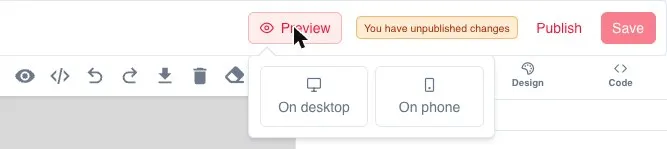
To view it on a phone:
- Open the Reskyt preview app.
- Tap Scan code and point the camera at the QR code.
The link is valid for 24 hours; the dialog shows until when it is valid. The Copy link button copies the preview link.
The preview does not show launch popups, so they do not cover the page being reviewed.
Save and publish
Section titled “Save and publish”| Action | What it does |
|---|---|
| Save | Creates a new revision and leaves a draft. The app does not change |
| Publish | Takes the changes to the app. Users only see what has been published |
When you save, a confirmation that the save succeeded appears. While there are saved changes that are not yet in the app, the editor shows You have unpublished changes.
Previous revisions are available from the Revisions icon in the top bar.
Link a new page
Section titled “Link a new page”A published page does not appear in the app on its own. It has to be linked from the menu, in Navigation, or from a button or link on another page. Otherwise, nobody reaches it.
Zones and languages when publishing
Section titled “Zones and languages when publishing”A page is only visible in the zones assigned to it. If it is missing one of the zone’s languages, it is shown in the page’s main language.
Adding a language or a zone to the app does not update pages that are already published: they have to be published again. Popups and system pages are updated.
A page’s translations are managed in the translations panel, from the languages icon in the left sidebar. If the page is in a single language, the panel offers the option to translate the page. Texts, images, descriptions and links can be changed per language.
Common errors
Section titled “Common errors”| Symptom | Cause | Solution |
|---|---|---|
| It does not appear in the app | It is saved but not published | Publish |
| It is not visible in a country | The page does not have that zone | Add the zone and publish again |
| A language is missing | The language was added after publishing | Publish the page again |
| The popup appears empty | All the slides are outside their dates | Change the dates or unpublish it |
| A push cannot be sent to a landing | The landing is not published | Publish the landing first |
Before considering the change finished
Section titled “Before considering the change finished”- It is saved and published.
- The zones are correct.
- The texts are reviewed in all languages.
- The links are tested.
- It has been viewed on a phone with Preview.