
App content
The content that Reskyt adds to the app is managed from the Design tab of the backoffice. Its side menu has Pages, System pages, Theme, Navigation and Variables.
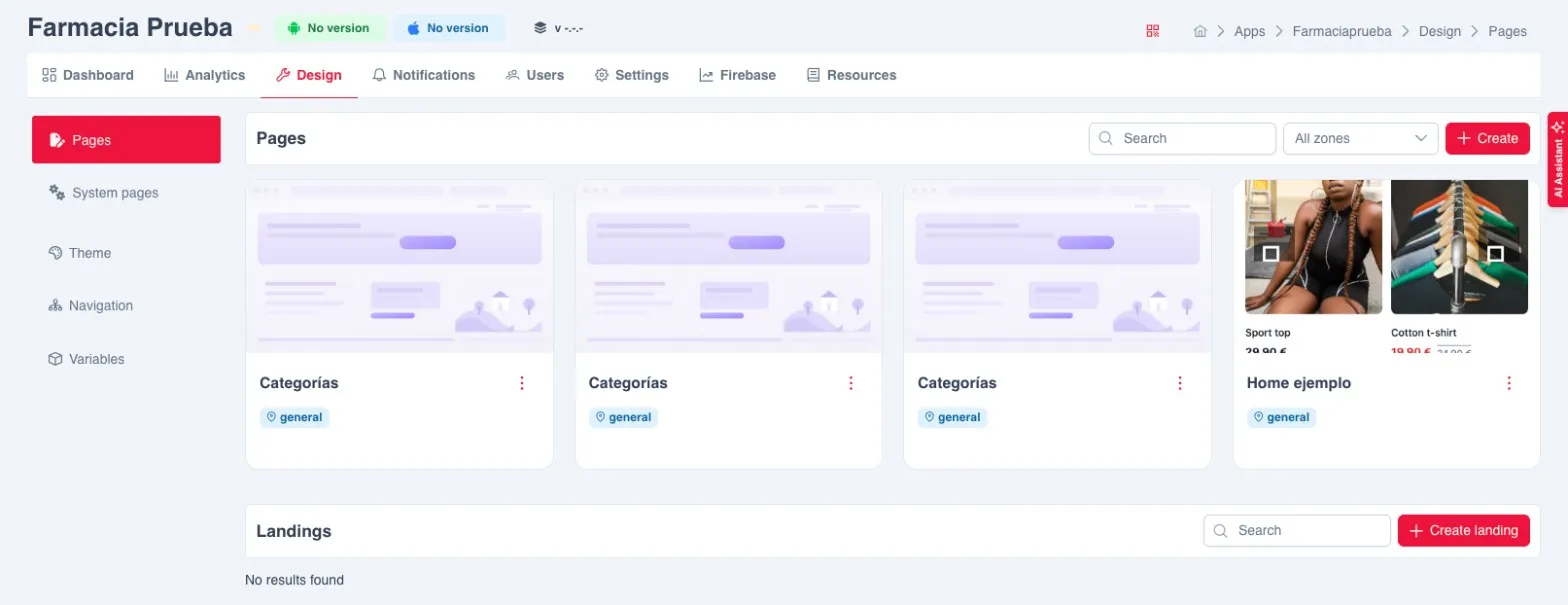
What is managed and where
Section titled “What is managed and where”| Content | What it is | Where it is | Has a zone |
|---|---|---|---|
| Pages | The app’s own screens | Design, Pages, Pages block | Yes |
| Landings | Pages that open from a push notification or a deep link | Design, Pages, Landings block | No |
| Popups | Full-screen pages that appear when the app opens | Design, System pages, HTML popups block | Yes, mandatory |
| Menu | The app’s top and bottom menu | Design, Navigation | — |
| Theme | The brand’s colours, fonts and shapes | Design, Theme | — |
| System pages | Screens that the app itself opens when needed | Design, System pages | — |
Key ideas
Section titled “Key ideas”Every save creates a revision. The revision history is available from the Revisions icon in the editor.
Saving is not publishing. Saving leaves a draft. App users only see what has been published.
Zones and languages. A zone is a market of the app: a set of countries and the languages offered in it. Most apps have a single, general zone. A page or a popup is only visible in the zones assigned to it. Adding a language or a zone does not update pages that are already published: they have to be published again.
A form instead of code. Sections are edited with a form that shows what can be changed. Some parts may come locked so as not to break the design.
Test on a phone first. Preview, On phone opens the page on a phone before publishing it.