
Facebook Login
Type: SDK · Status: Available · Category: Identity and login
Required credentials
Section titled “Required credentials”| Field | Required | Where to get it |
|---|---|---|
FB Login Key | Yes | developers.facebook.com/apps, in the app, Settings → Basic. It is the App ID, the identifier of the application on Meta. |
FB Login Client Token | Yes | developers.facebook.com/apps, in the app, Settings → Advanced, Security section, Client Token field. |
FB Login permissions | Yes | They are the same permissions used by the ecommerce’s own Facebook login. |
The step-by-step to find the Key and the Client Token is in the guide Get the Meta credentials.
What it adds
Section titled “What it adds”Facebook Login allows signing in with a Facebook account through the native Facebook SDK. When the authentication flow finishes, the SDK returns a token to the web page, which uses it to continue with its own authentication process.
Prerequisites
Section titled “Prerequisites”An app registered in Meta for Developers, with access to its management panel, and the credentials in the table above.
Both platforms must be registered in the app panel.
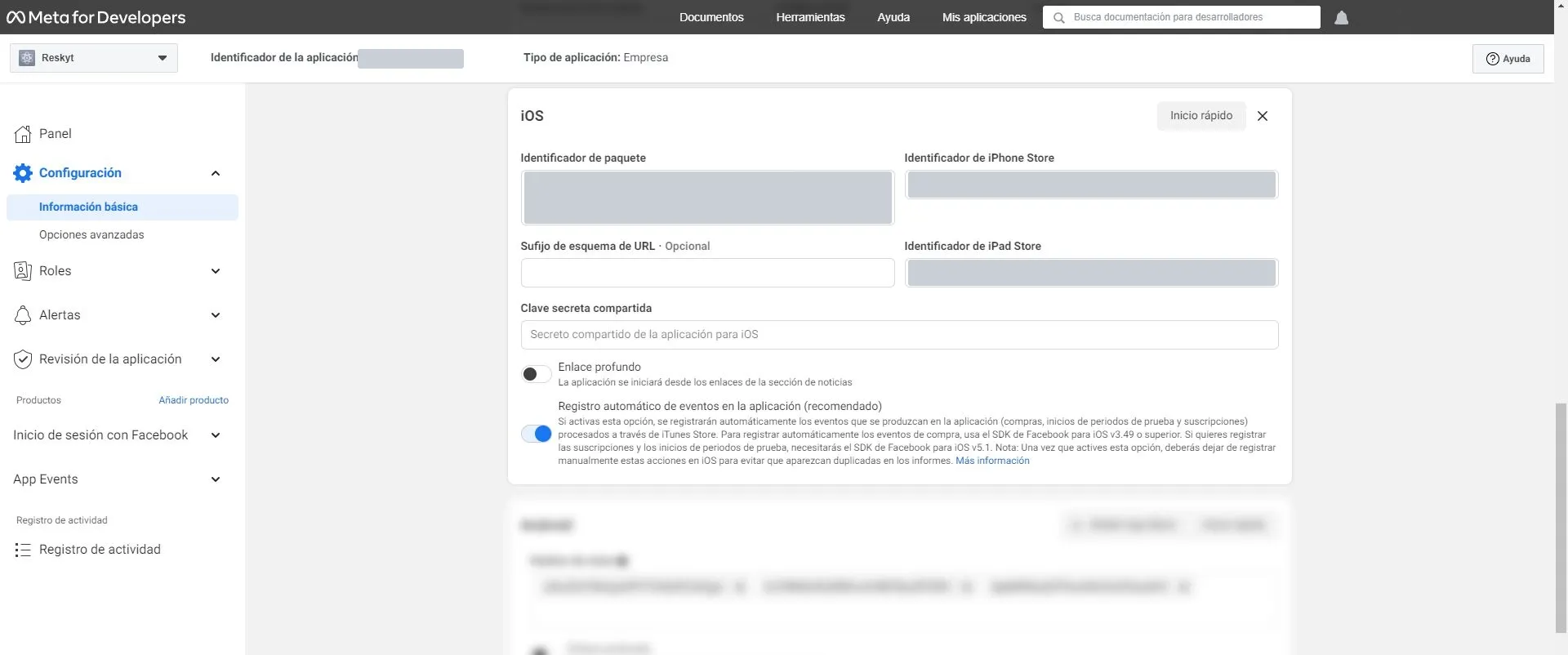
For iOS, under Settings → Basic → iOS, enter the bundle identifier and the App Store identifier of the iOS app.
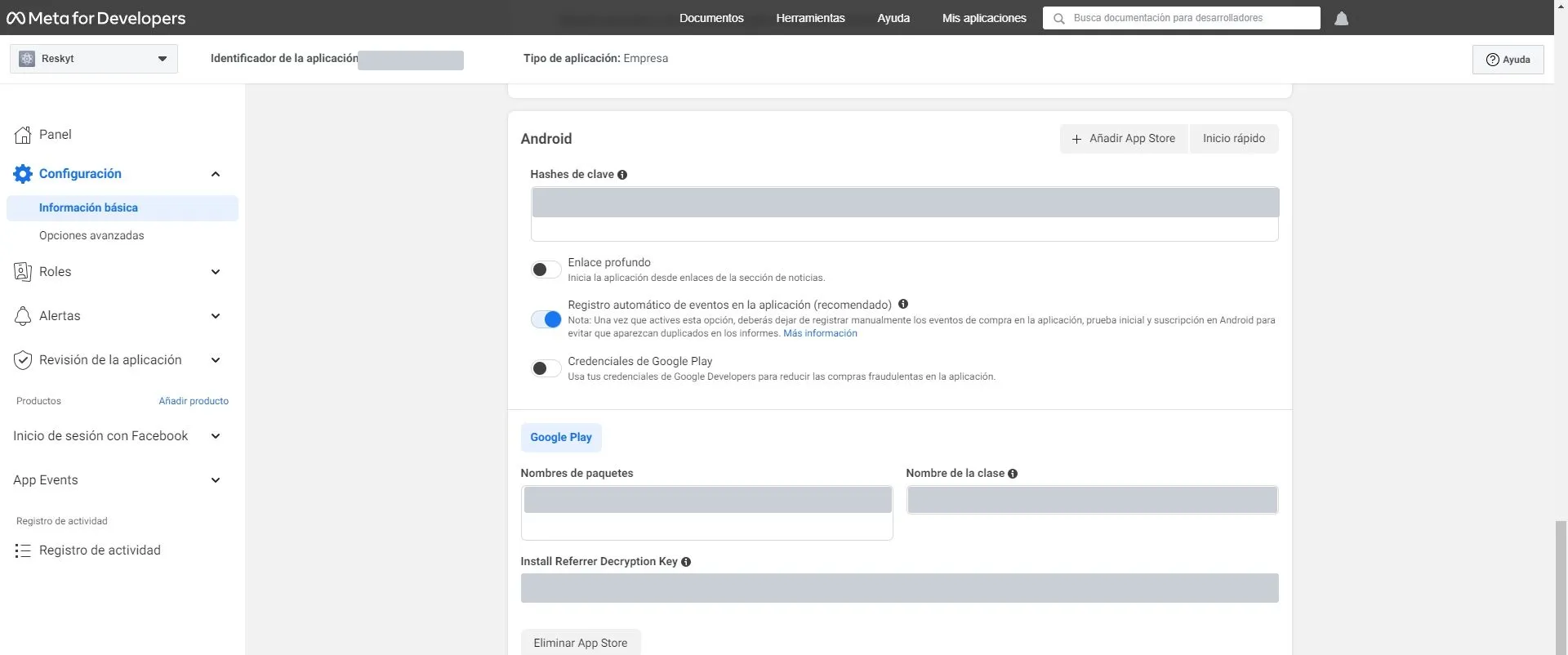
For Android, under Settings → Basic → Android, enter the key hashes of the keystore used to sign the app, the package name and the class name (packagename.MainActivity).
Who does what
Section titled “Who does what”The customer manages the configuration in Meta: the app, the iOS and Android registration in its panel and obtaining the credentials. The developer of the customer’s website implements on the web the functions that receive the token and the error.
Reskyt provides the key hashes entered in the Android registration and carries out the configuration in the backoffice.
Impact on the app
Section titled “Impact on the app”Enabling Facebook Login requires rebuilding the app and resubmitting it to the App Store and Google Play.
System permissions
Section titled “System permissions”It adds no system permissions of its own on iOS or Android. The only permission requested is Facebook’s, to use the user’s account for sign-in, the same one the ecommerce’s Facebook login already requests.
Data and privacy
Section titled “Data and privacy”Only the token returned by the SDK reaches the web. Reskyt does not store user data. No additional declaration is required in the stores.
Timeline and process
Section titled “Timeline and process”The steps, in order, are:
- The customer has the Meta app and obtains the Key and the Client Token.
- Reskyt provides the key hashes for Android by email.
- The customer registers iOS and Android in the Meta panel.
- The customer gives the Key and the Client Token to Reskyt, which configures them in the backoffice.
- The app is rebuilt and the new version is published in the stores.
- The web developer implements the token reception functions.
- The full flow is validated.
Validation
Section titled “Validation”The web page must implement two global JavaScript functions: one receives the token when the SDK completes authentication and the other receives the error if it fails. The example below only displays the received value with an alert; in production, the first one continues with the web’s own authentication.
function rktFacebookLoginSuccess(token) {  alert(token);}
function rktFacebookLoginError(token) {  alert("ERROR" + token);}
To check that the success function is correctly declared, run this line in the console:
rktFacebookLoginSuccess('token')If sign-in does not work, these are the usual causes:
| Cause | What to check |
|---|---|
| Incorrect key hash | That the key hashes registered under Settings → Basic → Android match the keystore used to sign the app. |
| Different bundle identifier or package | That the iOS bundle identifier and the Android package and class names match those of the published app. |
| Functions not declared | That rktFacebookLoginSuccess and rktFacebookLoginError exist on the web, checking with the console line above. |
| Incorrect Client Token | That the value provided is the Client Token and not the App Secret. |